
Playwright Pulse — Interactive Playwright Report & NextJS Test Dashboard



The ultimate Playwright reporter — an interactive dashboard with historical trend analytics, CI/CD-ready standalone HTML reports, and full sharding support for scalable test execution.
Core Features
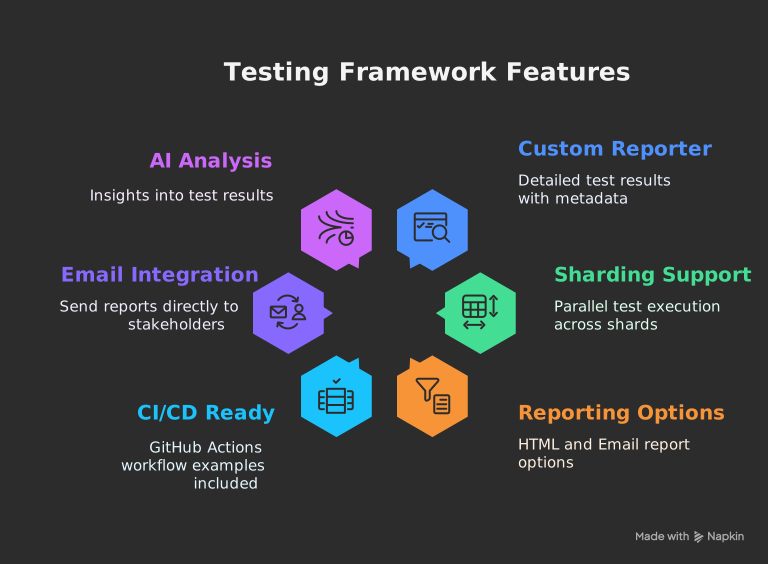
- Interactive Dashboard: A rich, single-page application to visualize test results. Filter by status, browser, or test name. Expand test cases to see detailed steps, errors, console logs, and attachments.
- Historical Trend Analysis: Automatically archives test runs to track performance over time. View trends for test volume, pass/fail rates, and execution duration.
- Standalone HTML Reports: Generate fully self-contained HTML reports with embedded attachments (screenshots, videos), perfect for sharing and CI/CD artifacts.
- Emailable Summaries: Automatically generate and send lightweight email reports with key statistics to stakeholders.
- Full Sharding Support: Natively handles Playwright's sharding capabilities and can merge reports from all shards into a single, comprehensive report.
- AI-Powered Analysis: Integrates an AI analysis tool to provide insights on test flakiness, performance bottlenecks, and failure patterns.
Installation
# Using npm
npm install @arghajit/playwright-pulse-report@latest --save-devInitial Configuration
Add the reporter to your playwright.config.ts file.
This is the minimum configuration needed to get started.
✨ Available in v0.3.0 and later: The
No need to pass
outputDir you configure here will be
automatically detected by all CLI scripts!No need to pass
-o or --outputDir arguments anymore - just run
npx generate-pulse-report and it works! 🎉
// playwright.config.ts
import { defineConfig } from "@playwright/test";
import * as path from "path";
export default defineConfig({
reporter: [
["list"], // Keep the default 'list' reporter or use any other you prefer
[
"@arghajit/playwright-pulse-report",
{
outputDir: path.resolve(__dirname, "pulse-report"), // ✨ Auto-detected!
},
],
],
// IMPORTANT: For the reporter to capture attachments, you must enable them here.
use: {
screenshot: 'only-on-failure',
video: 'retain-on-failure',
trace: 'retain-on-failure',
},
});Generating Your First Report
-
Run your tests: Execute your Playwright tests as
you normally would.
npx playwright testThis command will run your tests and the Playwright Pulse Reporter will automatically collect data in the background, creating a
pulse-reportdirectory. -
Generate the HTML report: After the test run is
complete, use the provided script to generate the interactive HTML
file.
npx generate-pulse-reportThis creates a self-contained static file named
playwright-pulse-static-report.htmlinside thepulse-reportdirectory. - View your report: Open the newly generated HTML file in your browser to explore the dashboard.